Editor’s Brief
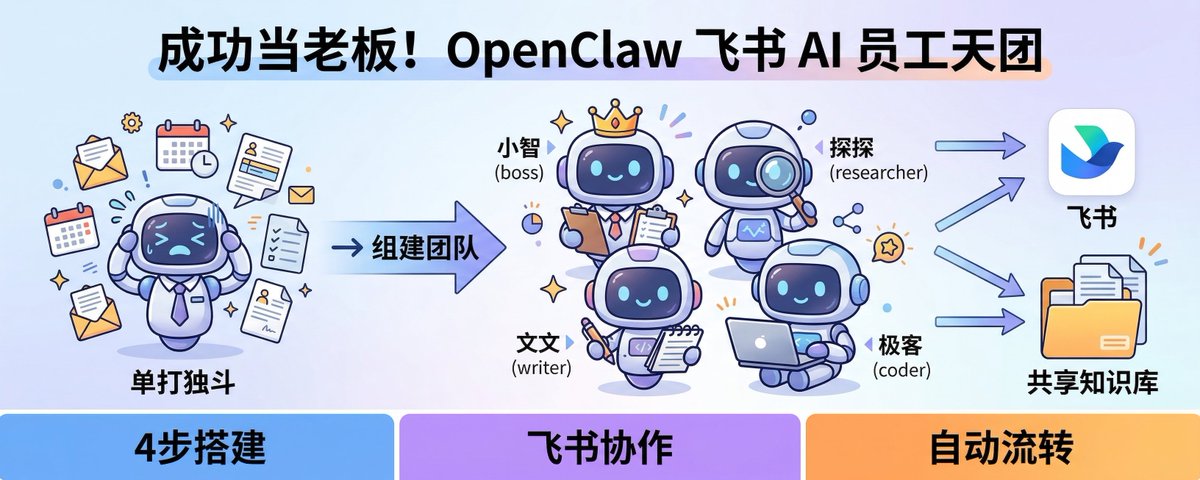
This editorial package examines the transition of OpenClaw from a basic LLM interface to a sophisticated multi-agent orchestration framework integrated within Feishu (Lark). Based on practical insights from developer 'Zan Xing,' the material outlines a shift from simple prompt-based interactions to the management of a 'digital workforce.' By configuring specialized roles—such as project managers, researchers, and coders—users can automate complex workflows through shared memory and inter-agent communication, effectively turning an IM platform into an autonomous command center.
Key Takeaways
- Role-Based Architecture: OpenClaw moves beyond single-chat boxes by assigning agents independent 'workspaces' and 'souls' (SOUL.md), preventing the cognitive overlap common in multi-tasking LLMs.
- Feishu Integration Logic: The framework utilizes Feishu’s enterprise bot capabilities and long-connection events to facilitate real-time task distribution and status reporting within standard chat groups.
- Autonomous Collaboration: Through features like 'sessions_send' and 'sessions_spawn,' agents can independently delegate sub-tasks to one another, reducing the need for constant human oversight.
- Shared Knowledge Infrastructure: The implementation of a centralized 'shared/' directory allows disparate agents to access research notes and task logs, ensuring a unified source of truth for the entire AI team.
Intro
Many people have installed Open
Editorial Comment
Lately, the buzz around AI Agents has been deafening, but most of it remains stuck in the grand narrative of “this thing will change the world.” The OpenClaw tutorial shared by Zanxing, however, brings these ethereal expectations down to earth—
It’s pretty fascinating. In the past, when we talked about AI boosting productivity, we focused on how to craft better prompts. Now the winds have shifted—people are starting to figure out how to build a “digital workforce.” The popularity of frameworks like OpenClaw essentially lowers the barrier to “complex task automation.” When an ordinary user can spin up a four‑person AI team in Feishu with a simple JSON configuration, the traditional SaaS software model is being deconstructed. Previously you’d have to buy a complex OA system or project‑management tool; now you might only need an “overall commander” agent that understands your intent and can autonomously call on search, coding, and documentation tools.
For readers who want to experiment, my advice is: don’t rush to assemble a full‑blown “four‑great‑warriors” squad. Many people fall into the trap of…
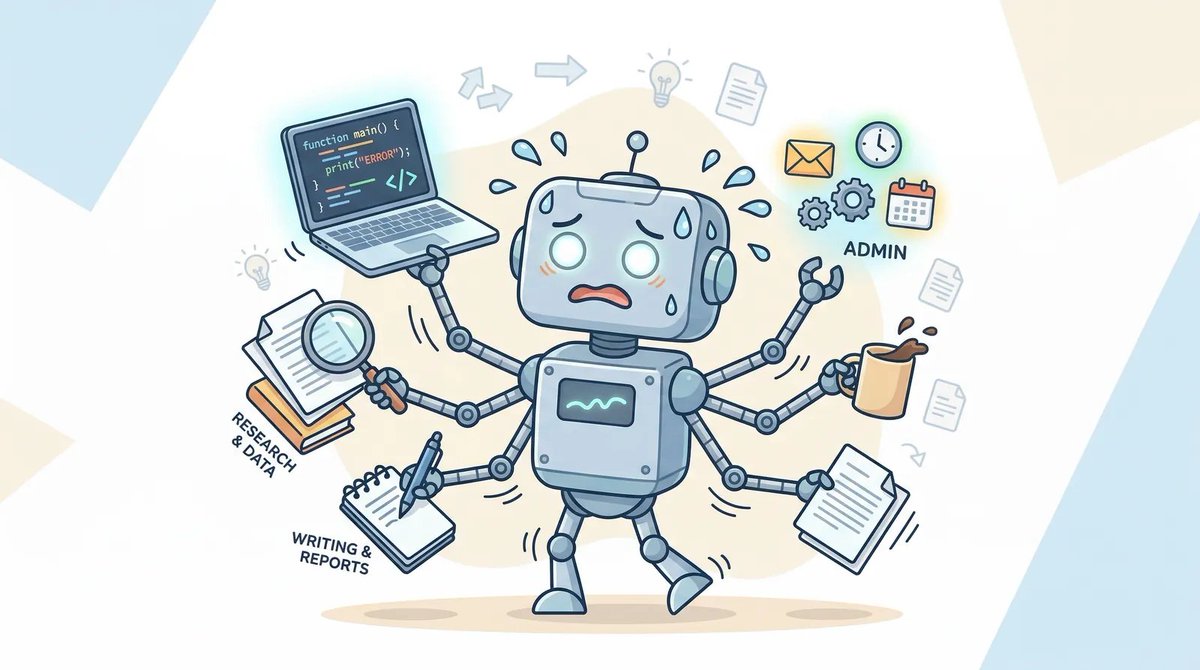
I followed the trend and installed OpenClaw, only to realize I had no idea what to make it do.
When I tried to use it, I was completely baffled: how is this different from a regular large model, and why can’t it just work on its own? Others’ “lobsters” can produce output automatically 24 hours a day, and a single command can handle the whole workflow—yet your lobster is just a plain chat box?
From being a complete newbie who couldn’t even connect OpenClaw to Feishu, to successfully commanding a lobster crew.
Today I’m sharing the full guide to running a lobster farm like a boss in Feishu.
Everything is ready-made; just copy and paste and you’re good to go.
Follow the steps and you can become the boss in Feishu right away!
1. The key to breaking the deadlock lies here
In the world of OpenClaw, configure multiple agents and let each specialize in its own domain.
This article is all about solving that core problem.
I’ve already become the boss and hired four employees:
- Xiǎo Zhì (boss) — the overall commander, responsible for planning and task distribution
- Tàn Tàn (researcher) — the intelligence expert, dedicated to information mining
- Wenwen (writer) — Content creator, skilled at written expression
- Geek (coder) — Technical lead, focused on code development
Each member has their own “desk” (workspace), “employee card” (authentication), and “work log” (memory), all of which operate independently without interference.
II. Get Started: Build Your First Agent
2.1 Environment Setup
Using a Mac, open Terminal and run the following commands in order:
Seeing a version number indicates a successful installation. If nothing happens, repeat step three.
2.2 Initial Configuration
Run the initialization command:
Follow the wizard prompts:
- Select “yes” to begin configuration
- Choose the QuickStart mode
- Pick your preferred AI model (recommended: OpenAI/Claude/Gemini)
- Skip the advanced options for now (you can adjust them later)
Once completed, you’ll have a fully operational Agent!
III. Build a Team: Create Your Agent Employees
3.1 What is an Agent, really?
Think of an Agent as an independent employee. Each employee comes equipped with:
- Desk (Workspace) — stores work guidelines (AGENTS.md), persona (SOUL.md), boss information (USE…)
- R.md and work notes (memory/)
- Employee card (agentDir) – stores identity authentication and login credentials
- Conversation logs (Sessions) – records the communication history with each entity, kept separately
- XiaoZhi Bot (Chief Commander)
- TanTan Bot (Researcher)
- WenWen Bot (Writer)
- Geek Bot (Developer)
- App ID
- App Secret
- Verification Token
- Encrypt Key
- Retrieve basic user information
- Retrieve and update group messages
- View and update group chat messages
- Retrieve and send one‑to‑one and group messages
- Receive “@ me” or direct messages in group chats
- Receive “@ bot” message events in group chats
- Read one‑to‑one messages sent to the bot by users
- Send messages on behalf of the application
- Retrieve and upload image or file resources
- Create a group chat and add only the Xiaozhi Bot
- This is your primary interface for publishing tasks
- Create another group chat
- Add the four Bots: Xiaozhi, Tantan, Wenwen, and Jike
- You also join this group to observe or intervene
- Use the “Get Group Info” API on the Feishu Open Platform
- Or use the OpenClaw sessions_list command to view
- “self” – only see one’s own conversations (fully isolated)
- “tree” – see one’s own conversations and any derived sub‑tasks (default setting)
- “agent” — view all sessions of the same Agent
- “all” — view all sessions of all Agents (fully open)
3.2 Company structure
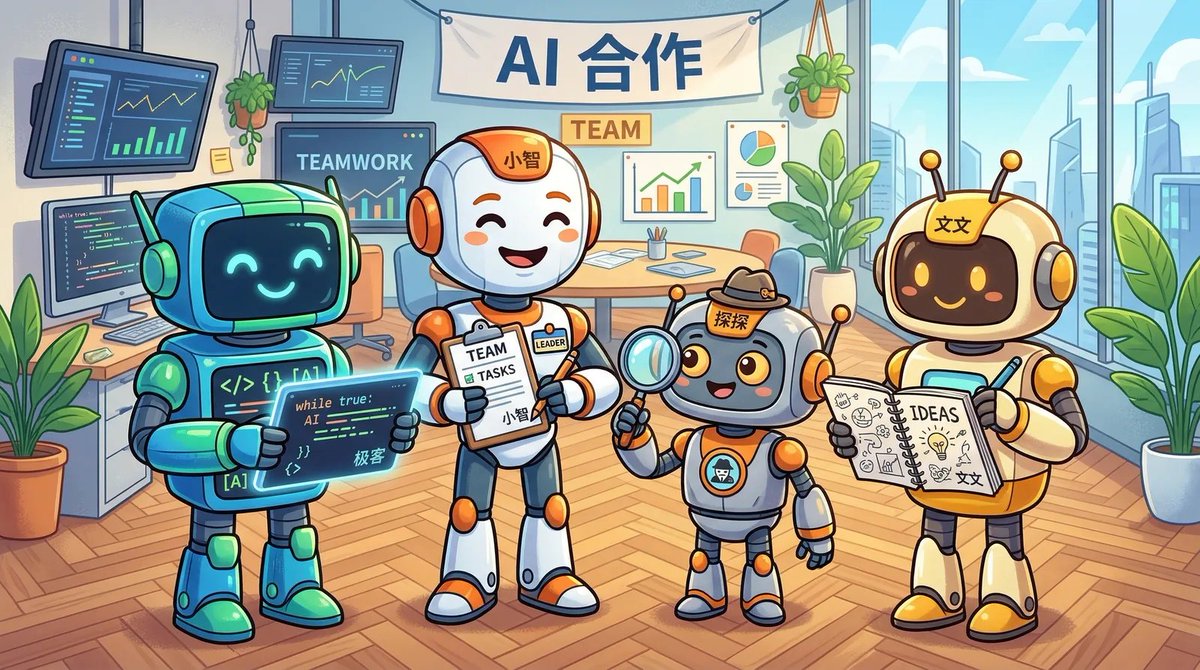
Figure 2 – Company structure
3.3 Two recruitment methods
Method 1: Command‑line wizard (simple operation)
The wizard automatically completes all configuration steps: create workstations, issue ID cards, and set permissions.
Method 2: Manual editing of the configuration file
Edit the file directly: `~/.openclaw/openclaw.json`:
3.4 Important reminders
⚠️ Identity authentication must not be shared: each Agent requires its own `auth-profiles.json`.
⚠️ **Workspaces cannot be
Skills/ is a shared skill library accessible to all team members.
4. Create a Feishu Bot: Get the Agents Online
4.1 Steps to Create a Feishu Bot
1. Log in to the Feishu Open Platform (open.feishu.cn).
2. Create a custom enterprise application.
Create a separate app for each Agent:
Obtain the key information for each Bot:
Enable bot capabilities and configure permissions:
1. Change the subscription method to “Use long‑link to receive events” and add the “Receive Message” event.
2. In “Version Management & Release,” create a new version and publish it.
4.2 Configure the Feishu Channel
In OpenClaw, set up the Feishu authentication information. For each Agent, follow the prompts to enter their respective App ID, App… (the text cuts off here).
Secret and other information.
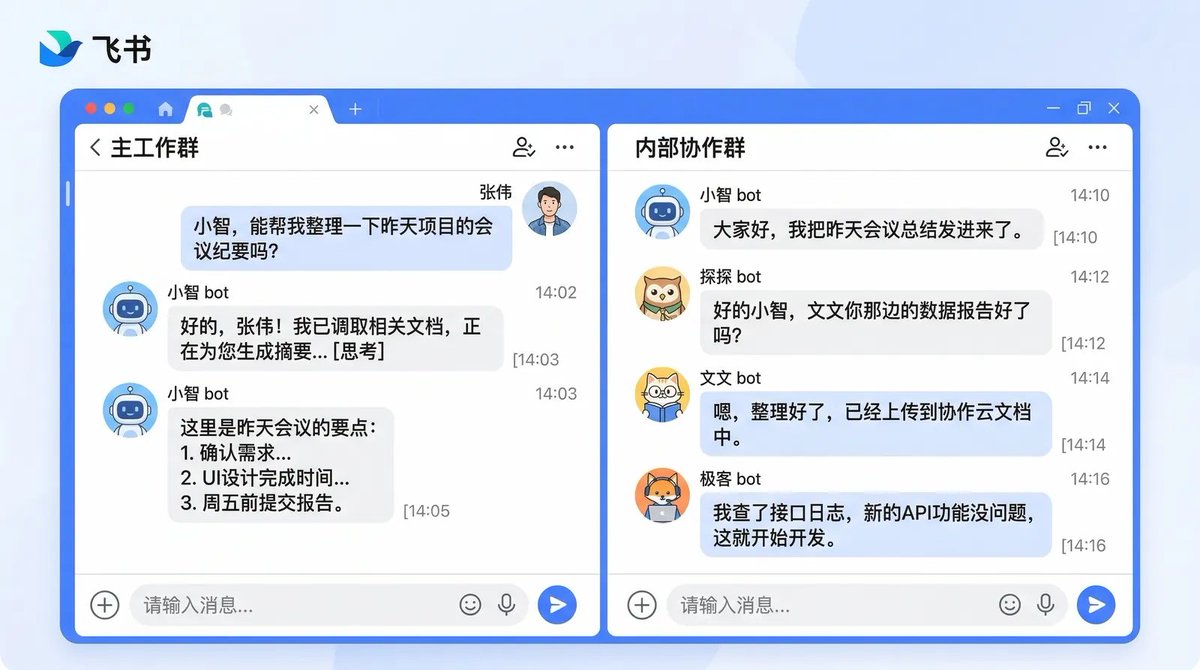
4.3 Create Feishu Groups
Main Working Group (Direct communication with Xiaozhi):
Internal Collaboration Group (Collaboration space between Agents):
Methods to obtain Group IDs:
V. Assigning Stations: Allocating Agents to Different Positions
The team members are all in place; now you need to assign who handles what based on Bindings (routing allocation mechanism).
5.1 How Bindings Work
Principle
Bindings are essentially message‑routing rules: they determine which Agent should handle messages coming from different sources.
OpenClaw matches messages according to the following priority:
1. 🎯 Precise match – specify a particular user ID or group ID
2. 👥 Group match – match a specific group chat
3. 📱 Account match – match a specific Bot account
4. 📡 Channel match – match all messages in the entire channel
5. 🧩 Default fallback – if none of the above match, hand the message to the default Agent
—
5.2 Our actual configuration plan
We differentiate using groups and accounts.
—
Six, Opening the internal line: letting Agents talk to each other
The team is assembled and desks are assigned, but at this moment they cannot communicate with one another.
6.1 Enabling inter‑Agent communication
This feature is disabled by default and must be turned on manually.
6.2 Setting conversation visibility
By default, each Agent can only see its own conversation history.
To enable team collaboration, adjust the visibility scope:
6.3 How to send internal messages
Use the sessions_send tool to enable communication between Agents:
6.4 Two ways to dispatch tasks
Method 1: sessions_send — send a message to an existing session
- Applicable scenario: the Agent is already online and has an active session.
- Prerequisite: configure
agentToAgent.enabledandsessions.visibility.7. Communication: Establishing a Team Information CenterInternal communication is already in place, but there’s still a problem: Xiao Zhi assigns tasks to Tan Tan without informing Wen Wen and Geek; Tan Tan’s completed research report can only be seen by others after Xiao Zhi forwards it.
The solution is to create a shared knowledge
Xiao Zhi (Overall Commander) – Work Guidelines
- After receiving a task from the boss, analyze it and break it down into sub‑tasks.
- Assign the sub‑tasks to the appropriate specialists using `sessions_send`.
- Immediately update `shared/tasks.md` after the assignment.
- Once completion feedback is received, update the task status and report back to the boss.
Tan Tan (Researcher) – Work Guidelines
- Begin the research immediately upon receiving the assignment.
- Store the research report in `shared/notes/research/`.
- After finishing, update the status in `shared/tasks.md`.
- Reply to Xiao Zhi with the completion details.
Wen Wen (Writer) – Work Guidelines
- Upon receiving a writing task, first consult the relevant materials in `shared/notes/`.
- Save drafts to `shared/notes/drafts/`.
- After finalizing the piece, update `shared/tasks.md`.
- If additional information is needed, coordinate with Tan Tan through Xiao Zhi for support.
Geek (Developer) – Work Guidelines
- When a development task arrives, review the relevant technical documentation.
- Store code and technical docs in `shared/notes/code/`.
- After completion, update `shared/tasks.md`.
- When technical research is needed, arrange for Xiaozhi to coordinate with the exploration team for assistance.
8. Practical Demonstration: Full Task Flow
Let’s look at a real scenario: the boss wants a technical article on AI Agents, along with a demonstration script.
8.1 Complete Task Flow
8.2 Core Collaboration Mechanism
Throughout the process, the boss only said one sentence; the rest was handled entirely by the team:
- Task decomposition — Xiaozhi breaks down the complex task into executable subtasks.
- Parallel collaboration — each specialist works independently within their domain.
- Information sharing — results are passed through the
shared/directory. - Progress tracking —
tasks.mdreflects the task status in real time. - Automatic coordination — Xiaozhi is responsible for task routing and progress monitoring.
9. Closing Remarks
Building a multi‑Agent team is just the beginning; the real value lies in continuous optimization and usage.
Here are a few additional suggestions:
- Start with simple tasks — let the team handle easy assignments first, then gradually increase complexity.
- Continuously refine personas — adjust each Agent’s
SOUL.mdandAGENTS.mdbased on actual performance. - Establish work standards — define team collaboration norms in
shared/board.md. - Regular reviews — have Xiaozhi periodically summarize…
- Summarize the problems and improvement points in team collaboration.
- Make good use of the shared knowledge base—deposit valuable information into the `shared/` directory to build the team’s knowledge assets.
Source
Author: [Zàn Xīng](https://x.com/lumoswhy)
Published: March 9, 2026 08:46
Original post link: [here](https://x.com/lumoswhy/status/2030807300257300613)

By Michael Sun
Founder and Editor-in-Chief of NovVista. Software engineer with hands-on experience in cloud infrastructure, full-stack development, and DevOps. Writes about AI tools, developer workflows, server architecture, and the practical side of technology. Based in China.
Editorial Comment
The tech community is currently drowning in a sea of 'Agentic' hype, with most discussions lingering on the abstract potential of AI to 'change everything.' However, the practical application of OpenClaw within the Feishu ecosystem, as detailed by Zan Xing, brings this discourse down to earth. It signals a critical pivot in the industry: we are moving past the era of 'Prompt Engineering' and entering the era of 'Digital Workforce Management.' The core value here isn't just the underlying model—be it GPT-4 or Claude—but the organizational structure imposed upon it.
Most users who install open-source Agent frameworks hit a wall immediately after the initial 'Hello World.' They find themselves staring at a terminal window, wondering why this 'intelligent agent' isn't actually doing any work. The OpenClaw approach addresses this by treating AI as an employee rather than a search bar. The 'Lobster Team' (龙虾天团) concept—comprising roles like Xiao Zhi for management and Tan Tan for research—is a pragmatic solution to the 'hallucination' and 'context drift' problems. By isolating identities into specific workspaces with their own 'work logs' and 'personalities,' the framework mimics human organizational behavior to maintain focus.
From a technical standpoint, the sophistication lies in the 'Bindings' and 'Sessions' logic. The ability to route messages based on specific group IDs or bot accounts allows for a clean separation of concerns. For instance, having a 'Boss' agent in a private chat for instructions while a 'Collaboration' group hosts the technical back-and-forth between the coder and researcher agents is a stroke of UI genius. It leverages the existing habits of corporate communication (IM) to manage non-human entities.
However, as senior editors, we must inject a dose of reality into this 'copy-paste' narrative. While the tutorial suggests a seamless transition to 'becoming a boss,' the underlying friction of the Feishu Open Platform is notorious. Configuring App IDs, Secret Keys, and navigating the labyrinth of permission scopes (especially for message headers and resource uploads) is where most 'non-technical' users will fail. Furthermore, the reliance on Python environments and long-connection event subscriptions means this isn't a 'set it and forget it' SaaS product; it’s a self-hosted infrastructure that requires maintenance.
The broader signal here is the deconstruction of traditional SaaS. If a user can build a bespoke project management team within Feishu using a few JSON files and an open-source framework, the value proposition of specialized, expensive project management software begins to erode. We are seeing the rise of 'Agentic Workflows' where the software itself is fluid, defined by the 'SOUL.md' and 'AGENTS.md' files rather than hard-coded features.
For the NovVista reader looking to implement this, my advice is to avoid the temptation of hiring a 'full team' on day one. Start with a single 'Boss' agent to handle information synthesis. Once the routing logic and Feishu callbacks are stable, gradually introduce the 'Researcher' to handle external data. The real challenge isn't getting the AI to talk; it's building the 'shared/tasks.md' infrastructure that keeps them from talking over each other. This isn't just about AI; it's about the new science of automated delegation.